
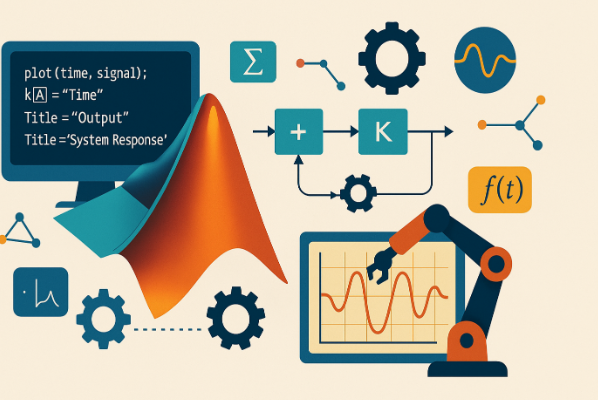

In engineering and industrial automation, MATLAB programming plays a critical role in solving complex mathematical problems, simulating systems, visualizing data, and developing control algorithms. MATLAB, short for Matrix Laboratory – originated in the 1970s and has evolved into one of the most powerful tools used in academic research, engineering design, and real-time industrial applications.
Its strength lies in its simple syntax, mathematical accuracy, and the ability to combine coding, visualization, data analysis, simulation, and GUI development – all within a single environment.
Why MATLAB is Ideal for Control & Signal Processing Projects
MATLAB is frequently chosen by engineers, researchers, and developers because it:
- Handles large datasets and matrix operations efficiently
- Allows real-time system modelling and simulation
- Provides specialized toolboxes for control systems, signal processing, and machine learning
- Offers visualization tools to analyse behaviour and performance
- Accelerates prototyping and system validation
These capabilities make MATLAB the preferred platform for reducing development time and achieving reliable outcomes.
MATLAB Programming Tips (Best Practices)
Here are the most effective strategies to improve efficiency when working on control and signal processing projects:
1. Organize Your Scripts and Functions Properly
- Divide large projects into smaller functions.
- Use meaningful, descriptive variable names.
- Keep separate folders for code files, simulation models, and datasets.
| Poor Practice | Recommended Practice |
|---|---|
| a = fft(x) | frequencySpectrum = fft(inputSignal) |
This improves readability and reduces debugging time.
2. Use MATLAB Toolboxes Strategically
MATLAB includes specialized toolboxes for automation projects:
| Area of Application | Relevant Toolbox |
|---|---|
| Control loop design | Control Systems Toolbox |
| Data filtering, FFT | Signal Processing Toolbox |
| Machine learning models | Statistics & Machine Learning Toolbox |
| Automation & HIL | Simulink |
Each toolbox accelerates development and eliminates the need to write complex algorithms from scratch.
3. Vectorize Your Code Instead of Using Loops
Loops can slow down execution. MATLAB is optimized for matrix operations, so whenever possible:
for i = 1:length(input)
output(i) = input(i) * 2;
output = input * 2;
Vectorization improves both speed and readability.
4. Use MATLAB for Rapid System Validation
Before applying algorithms to live systems:
- Simulate them in Simulink
- Test using real-time data
- Validate output with visual plots & graphs
Simulation helps detect failures early and reduce real-world risk.
5. Leverage Visualization to Understand System Behavior
MATLAB provides rich plotting tools to visualize:
- Frequency responses
- System stability
- Time-domain output
- Real-time data streaming
Example:
plot(time, signal);
xlabel(“Time”);
ylabel(“Output”);
title(“System Response”);
Visualization enhances decision-making, especially in control projects.
How ControlSoft Canada Uses MATLAB (Real Industrial Use Cases)
ControlSoft Canada uses MATLAB to build advanced automation and control system solutions for industrial clients.
They apply MATLAB to:
- Develop custom control algorithms
- Optimize robotic and automated systems
- Perform predictive maintenance via machine learning
- Generate visual reports for performance insights
Their workflow includes:
- Custom control system design
- Real-time simulation using MATLAB
- Algorithm tuning and validation
- Smooth integration with plant devices and existing controllers
With MATLAB programming, ControlSoft Canada ensures faster development, reduced downtime, and increased operational efficiency.
Benefits of Hiring Experts for MATLAB Programming Services
Deep Expertise
- Certified MATLAB engineers
- Proven experience across engineering and automation domains
End-to-End Solution Delivery
- Algorithm development
- Data processing
- Simulation and performance optimization
- Final deployment
Extensive Support
- Troubleshooting
- Optimization
- Post-deployment assistance
Cost-Effective and Scalable
- Solutions fit all project sizes – R&D, prototyping, or full deployment.
Summary
Leveraging MATLAB programming the right way can significantly improve accuracy, reduce development time, and help engineers make confident decisions through simulation and visualization.
Whether you’re working on control systems, automation projects, or signal processing applications – MATLAB allows you to design → test → validate → deploy, all within a single framework.

